


V2Ray VPN for Linux – Secure, Private, and Fully Open-Source
Unlock Internet Freedom on Linux with Vpnymous V2Ray
Linux users demand control, speed, and true privacy — and that’s exactly what Vpnymous V2Ray VPN for Linux delivers. Whether you’re protecting your personal data or bypassing censorship in restricted countries, Vpnymous gives you a fast, flexible VPN built for power users.
Buy V2Ray VPN with crypto — Bitcoin, Ethereum, Dogecoin, Tron, Ripple (XRP), and USDT. No logs. No ID. No centralized tracking.
Service
Why Use V2Ray on Linux?
setup
How to Set Up Vpnymous V2Ray on Linux?
Follow these simple steps to set up your device.
Step 1
Buy Account
Purchase your Vpnymous account — you can buy V2Ray VPN with crypto like Bitcoin, Ethereum or Tron.
Step 2
Login to Dashboard
Use your username and password to log in to your secure account panel.
Step 3
Download Config File
Choose the right configuration file for your device and preferred server location (country), then import it into your V2Ray app.
Get Started with V2Ray VPN on Linux
Install the core, load your config, and connect with total privacy.
Whether you’re on desktop or server, Vpnymous V2Ray works seamlessly across all major Linux distributions.
✅ Install v2ray-core on any Linux distro
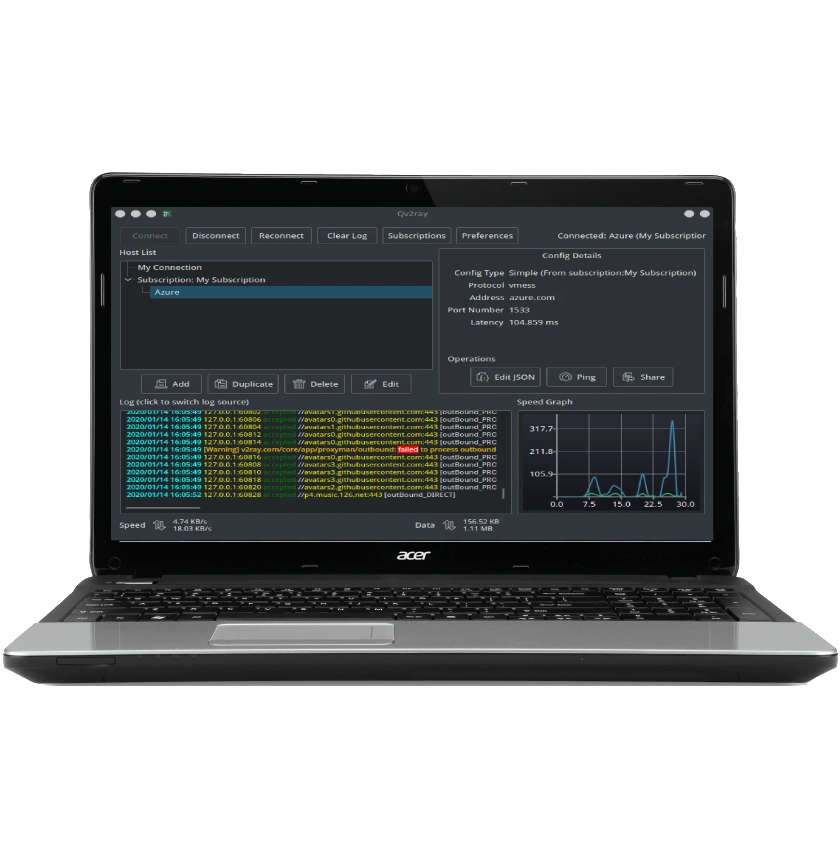
✅ Use Qv2ray for a GUI or V2RayA for web-based control
✅ Import your config and connect — no logs, no ID, no limits
🔗 Get v2ray-core on GitHub
🔗 Explore V2RayA Web UI
📘 View Linux Setup Guide →
FAQ – V2Ray VPN for Linux
For most users, installing v2ray-core via your distro’s package manager or GitHub binary is the most direct method. You can also use Qv2ray for a GUI-based experience or V2RayA for web dashboard control.
Yes. Vpnymous V2Ray works on all major Linux distributions including Ubuntu, Debian, Arch, Fedora, CentOS, and even headless VPS servers. If your system supports basic command-line tools, you're good to go.
Buy a Vpnymous account using crypto (Bitcoin, Ethereum, Dogecoin, etc.)
Log in and download your server config file
Install v2ray-core or Qv2ray
Import your config
Start the service and enjoy secure, encrypted access
Yes. Vpnymous V2Ray VPN is designed to bypass deep packet inspection (DPI) using WebSocket, TLS, and CDN obfuscation. It works reliably in Russia, Iran, China, and other countries with strict internet censorship.
Absolutely. You can buy Vpnymous V2Ray VPN with Bitcoin, Ethereum, Tron, Dogecoin, Ripple (XRP), and USDT. No credit card or ID required — total anonymity from payment to connection.
Let's Try! Get Free Support
Buy VPN with Crypto — No Logs, No Limits
No credit card? No problem. Pay with Bitcoin, Ethereum, or USDT.
- Free trial
- No credit card required
- Support 24/7
- 30 days money-back guarantee