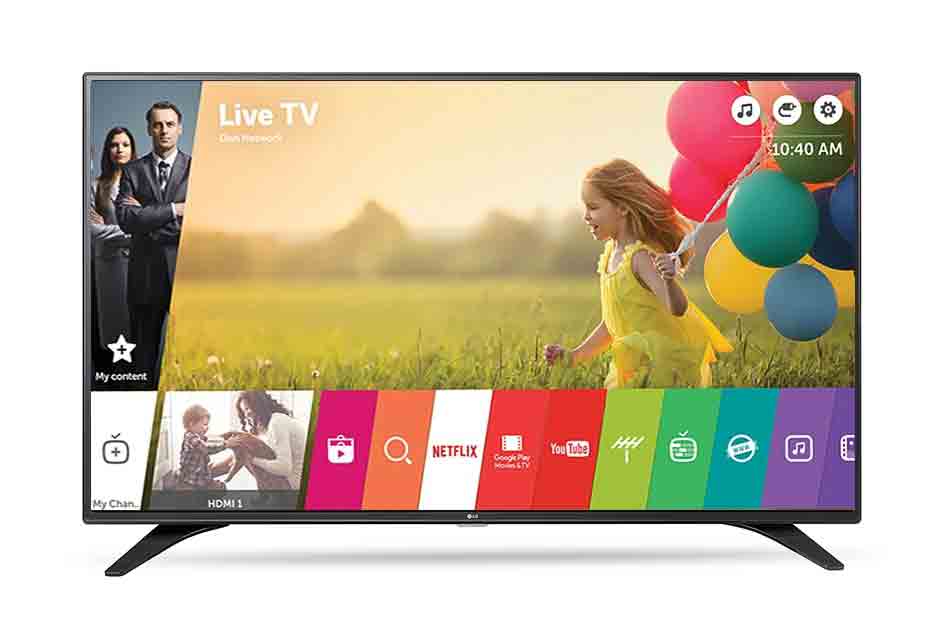
VPNymous VPN for LG Smart TVs

Stream Without Limits – Stay Private on Your LG TV Your LG Smart TV deserves more than geo-restrictions and buffering. Whether you’re using webOS or casting via external devices, VPNymous helps you bypass content blocks, stream global shows, and protect your digital privacy — all from your living room.

Unlock the Full Potential of Your LG Smart TV

lg webos smarttv

Why Use VPNymous on LG Smart TV?

Unblock Global Streaming Platforms

Access Netflix US, BBC iPlayer, Hulu, Disney+, and more — even if they’re restricted in your region.

Bypass ISP Throttling

Enjoy smooth HD and 4K streaming with no buffering, no slowdowns.

Encrypt Your Traffic

Secure your TV data from trackers and third-party snoopers.

Pay with Crypto

Stay anonymous with our crypto-friendly payment options like Bitcoin, Ethereum, and USDT.

Features

How to Set Up VPNymous on LG Smart TVs?​

Since LG Smart TVs don’t support direct VPN apps, here are 3 easy ways to connect:

VPN on Your Router

VPN on Your Router

Set up Vpnymous VPN on your home router to cover all devices, including your LG TV.

Know More About Us
Use HotSpot Proxy

Use HotSpot Proxy

Use your computer as a VPN hotspot and connect your LG TV via Wi-Fi.
How to share VPN from PC to LG Smart TV
How to share VPN from Mac to LG Smart TV
Plug external box

Plug external box

Plug in a device like Amazon Fire Stick or Android TV box with our VPN installed.

Set up VPNymous on Fire Stick

Frequently Asked Questions

VPNymous is an excellent VPN for Smart TVs, offering fast streaming, global access, and total privacy. While not all Smart TVs support native VPN apps, you can easily connect using a VPN router or share a VPN-enabled connection from your PC. Enjoy geo-unlocked streaming and secure viewing—lag-free and censorship-free.

Using a VPN on your Smart TV unlocks geo-blocked apps, protects your streaming activity, and prevents ISP throttling. VPNymous encrypts your traffic, hides your location, and ensures private, unrestricted access to content on platforms like Netflix, Disney+, BBC iPlayer, and more—all directly on your big screen.

You can use VPNymous on your Smart TV in several ways: install a VPN app on Android TV, use a VPN-enabled router, or share a VPN connection from your PC. Our setup guides walk you through each method step-by-step, so you can start watching securely and freely in just a few minutes.

Once connected via app, router, or shared PC, your Smart TV traffic is encrypted and routed through VPNymous servers. Choose from 540+ global servers to unlock international content libraries, improve streaming speeds, and enjoy total privacy—no buffering, no spying, just smooth, global entertainment from your Smart TV.

Let's Try! Get Free Support

Buy VPN with Crypto — No Logs, No Limits

No credit card? No problem. Pay with Bitcoin, Ethereum, or USDT.

  • Free trial
  • No credit card required
  • Support 24/7
  • 30 days money-back guarantee
محامي قضايا مدنية المحامي خالد الزوير | أفضل مكتب محاماة في الكويت. How to hire a private investigator in las vegas.